
Before you can request an access token and invoke the API, you must configure an API service account in the Clean Room UI. If the service account has been configured, you can use it to retrieve an access token to authenticate to the API.
2 token/day limitLiveRamp enforces a maximum of 2 tokens per 24-hour period via the /oauth/token call.
-
In the Clean Room UI, go to the Manage API Key page and copy the client ID and client secret.
-
Create a BASIC access key with Base64 encoding using the client ID and client secret:
export AUTH_BASIC=$(printf "%s" "client_id:client_secret" | base64) -
Submit a request for an access token:
curl -k -H "Content-Type: application/x-www-form-urlencoded" -H "Authorization: Basic
$AUTH_BASIC" -d "grant_type=client_credentials"
-X POST <https://api.habu.com/v1/oauth/token>
{
    "accessToken": ".............",
    "tokenType": "Bearer",
    "expiresIn": 86400,
    "expiresAt": "2023-10-14T18:47:16.104+00:00"
}
If the access token request is valid and authorized, the token server issues the access token in the format shown below:
{ "accessToken": ".............", "tokenType": "Bearer", "expiresIn": 86400, "expiresAt": "2023-10-14T18:47:16.104+00:00" } -
Use the
accessTokenfrom the response to authorize API calls via an HTTP header or your HTTP client library's authorization method:curl -k -H "Content-Type: application/x-www-form-urlencoded" -H "Authorization: Basic $AUTH_BASIC" -d "grant_type=client_credentials" -X POST <https://api.habu.com/v1/oauth/token> { "accessToken": ".............", "tokenType": "Bearer", "expiresIn": 86400, "expiresAt": "2023-10-14T18:47:16.104+00:00" }Or in the third-party tool Postman:
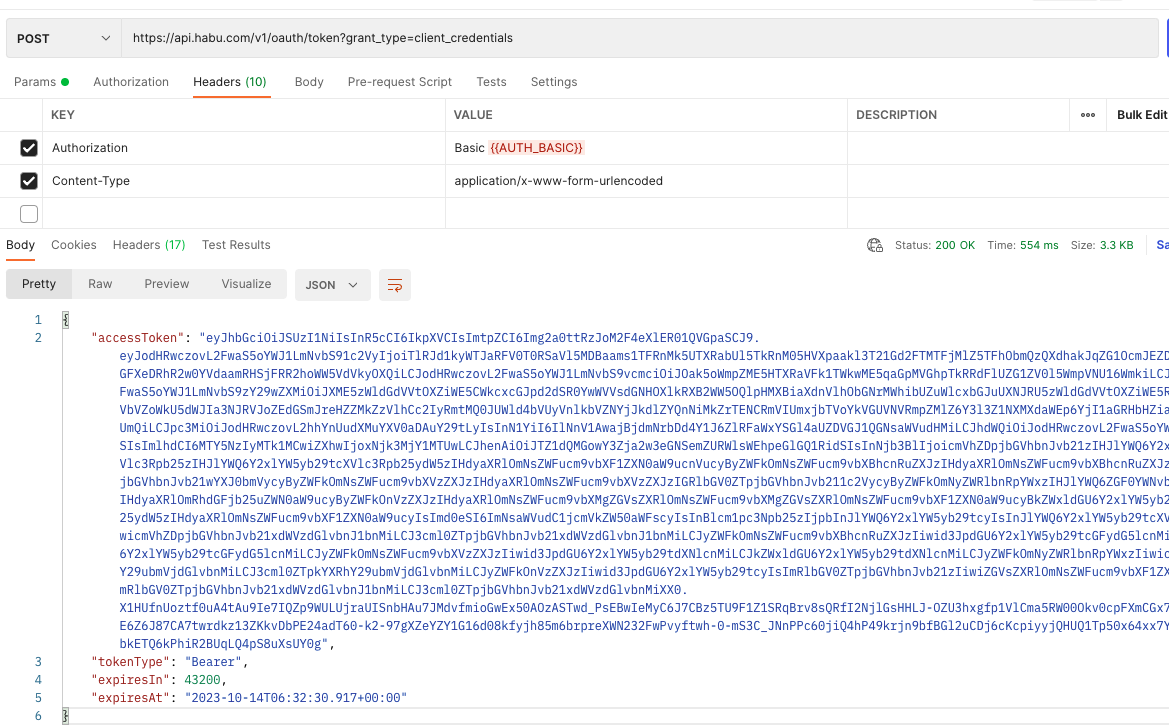
About access token expirationAccess tokens expire after 12 hours. The
expiresAtfield in the response specifies the time of expiration.Reuse the access token in subsequent requests. Avoid requesting a new token until the current one has expired.
Starting October 8, 2025: LiveRamp will enforce a maximum of 2 tokens/24-hour period.
API Response Codes
| Code | Message |
|---|---|
| 200 | Successfully fetched clean room details |
| 400 | Bad Request - Incorrect syntax or request |
| 401 | Authorization information was missing or invalid |
| 404 | The specified resource was not found |
| 500 | Internal Server Error |