
ATS with Tealium
Adding ats.js to your Tealium container
You can use ATS with Tealium iQ Tag Management to control and manage customer data and MarTech vendors across web, mobile, and connected devices.
- In the sidebar, select iQ Tag Management > Tags.
- Click + Add Tag.
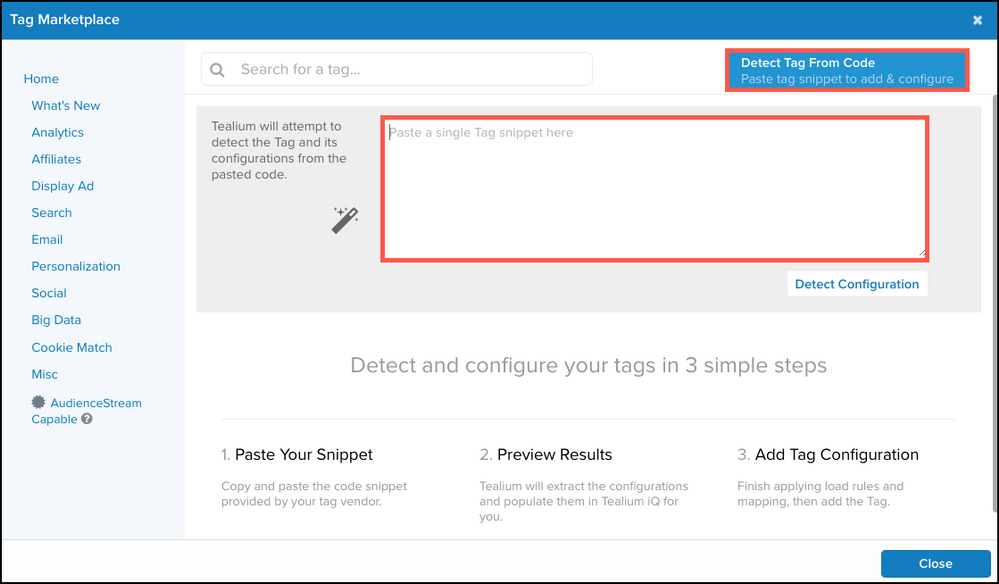
- The Tag Marketplace dialog displays. Click Detect Tag from Code and enter the following code snippet, ensuring that you enter your placement ID where the snippet displays
REPLACE_ME. You may make further modifications to the ats.js configuration as described in our documentation.
<script>
let atsScript = document.createElement('script');
atsScript.onload = function() {
  window.ats.start({
    "placementID": REPLACE_ME,
    "storageType": "localStorage",
    "detectionType": "scrape",
    "cssSelectors": [
      "input[type=text]",
      "input[type=email]"
    ],
    "logging": "error"
  });
};
atsScript.src = 'https://ats.rlcdn.com/ats.js';
document.body.appendChild(atsScript);
</script>- Enter a title for the tag, such as ATS JavaScript.
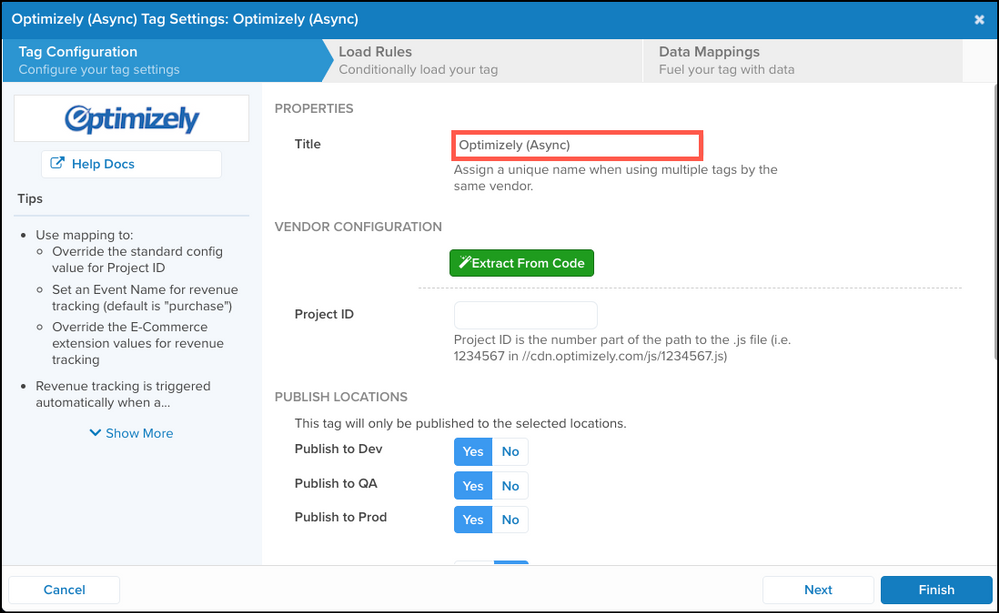
- Click Next to proceed to the Load Rules tab. By default, ats.js will execute on all pages. Make any adjustments as needed for your configuration, or accept the default setting.
Additional DocumentationSee full Tealium tag documentation here.
Updated 6 months ago
Did this page help you?