
Prebid ATS Analytics
We offer an analytics module to help you better understand how ATS improves your digital monetization.
To add support for Prebid Analytics, first reach out to [email protected] and request that we enable your account for data collection.
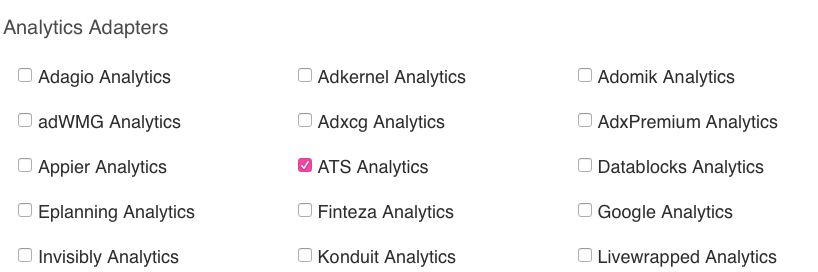
Follow the Prebid instructions laid out in the previous section. Ensure that you use Prebid 3.26 or higher. Before downloading the prebid package, select "ATS Analytics" in the Analytics Adapters section:
Update your site(s) with the updated prebid package.
On your site(s), make sure that you pass prebid information to set up your new analytics configuration. You will need to provide a placementId (PID) and a hostname (URL).
pbjs.que.push(function () {
pbjs.enableAnalytics([
{
  provider: 'atsAnalytics',
  options: {
     pid: '9999',
     host: 'https://analytics.openlog.in'
  }
}
]);
Your PID should match with the placement ID you use elsewhere for ATS and Prebid. Unless instructed otherwise, use 'https://analytics.openlog.in' as the host value.
When live, LiveRamp will collect information about your envelope coverage by browser, along with the average CPM and bid response rate observed across each bidder. LiveRamp representatives will provide you with additional information about available reporting and visualizations.
Updated 6 months ago